iPhone · Widgets

MyDay

One calm view of what matters today.
MyDay brings your schedule, reminders, weather, travel, activity and notes together in one clear daily surface. You choose what it can see, and your events and reminders stay in the Apple apps where they already live.

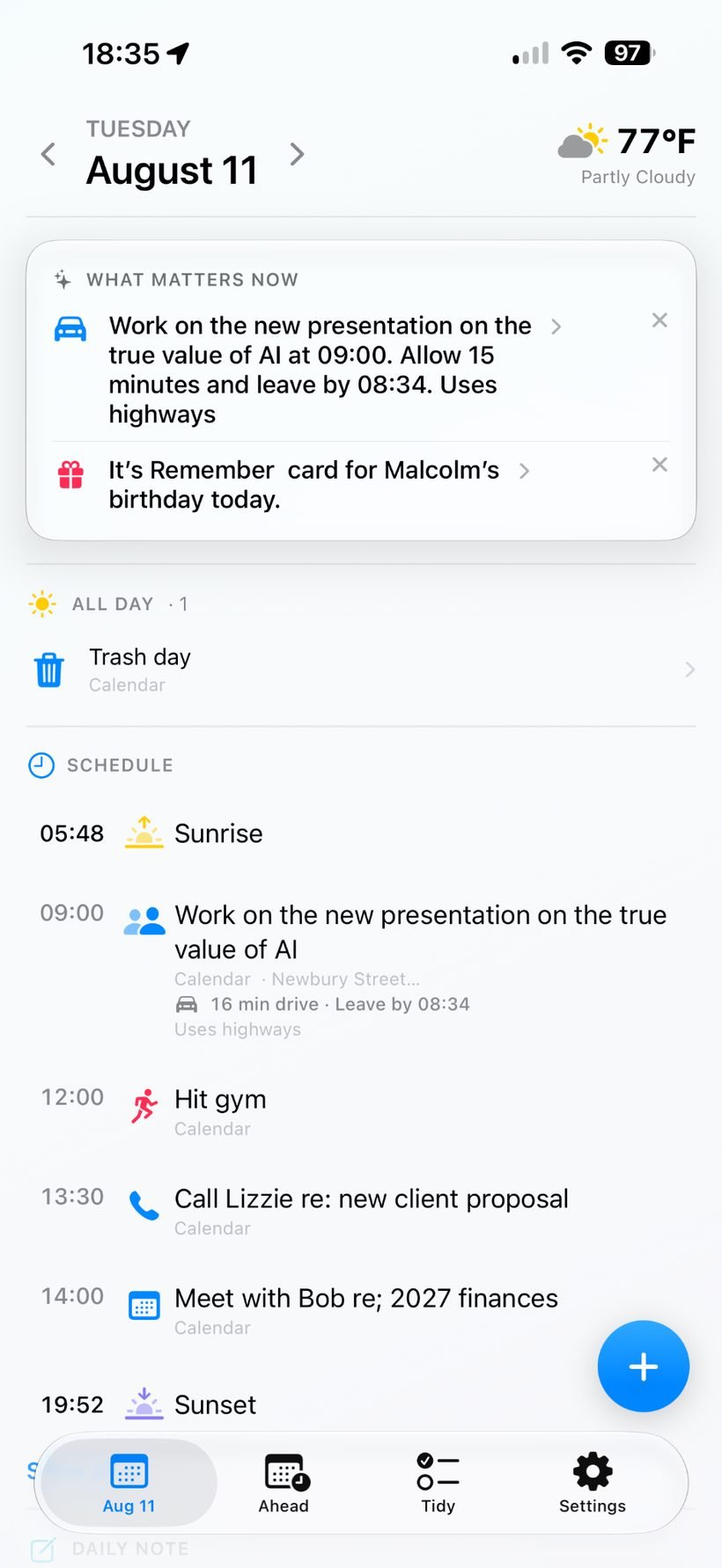
MyDay daily view showing what matters now, all-day items, schedule and daily note
Why MyDay exists

Your day is already in Apple’s apps. MyDay helps you see it.

Calendar, Reminders, Weather, Health and Notes each do their own job well. The problem is that understanding today often means hopping between several apps. MyDay pulls together only the sources you choose, so you can understand the day quickly and then jump back to the native Apple app when action is needed.

  • Choose which calendars and reminder lists MyDay can surface
  • Choose whether to use Health at all, and only the supported health information you want to share
  • See weather and travel information when it is actually relevant
  • Add events and reminders by typing or dictating naturally
  • Preview every proposed event or reminder before it is saved
  • Keep Calendar, Reminders, Health and Notes as the native systems of record
Key features

Built around understanding the day quickly.

MyDay is designed to reduce context switching without taking ownership of your data. You decide what sources to connect, and native Apple apps remain authoritative.

01
Your day at a glanceSee today’s events, reminders, weather, travel and other selected context in one coherent screen.
02
Natural-language Quick CaptureType or dictate something naturally. On supported devices, on-device Apple intelligence can turn it into a proposed event or reminder with the right date and time — then you review it before saving.
03
What Matters NowHighlight timely items such as leave-by moments, upcoming weather, celebrations and other useful prompts.
04
Weather & travel contextShow relevant weather, commute and leave-by information alongside the parts of the day they may affect.
05
Health, on your termsHealth is optional. Choose whether to use it and surface only supported activity or medication context that you permit.
06
Native apps stay in chargeNew events are saved to Calendar and reminders to Reminders. MyDay reads, surfaces and hands off rather than maintaining a second calendar or task database.
App screens

Six views that show the shape of the day.

These screens show how MyDay balances schedule, context and action without overwhelming the day with too much detail at once.

MyDay day view showing what matters now, all day items and schedule

Day View

A clear overview of what matters now, all-day items and the day’s schedule.
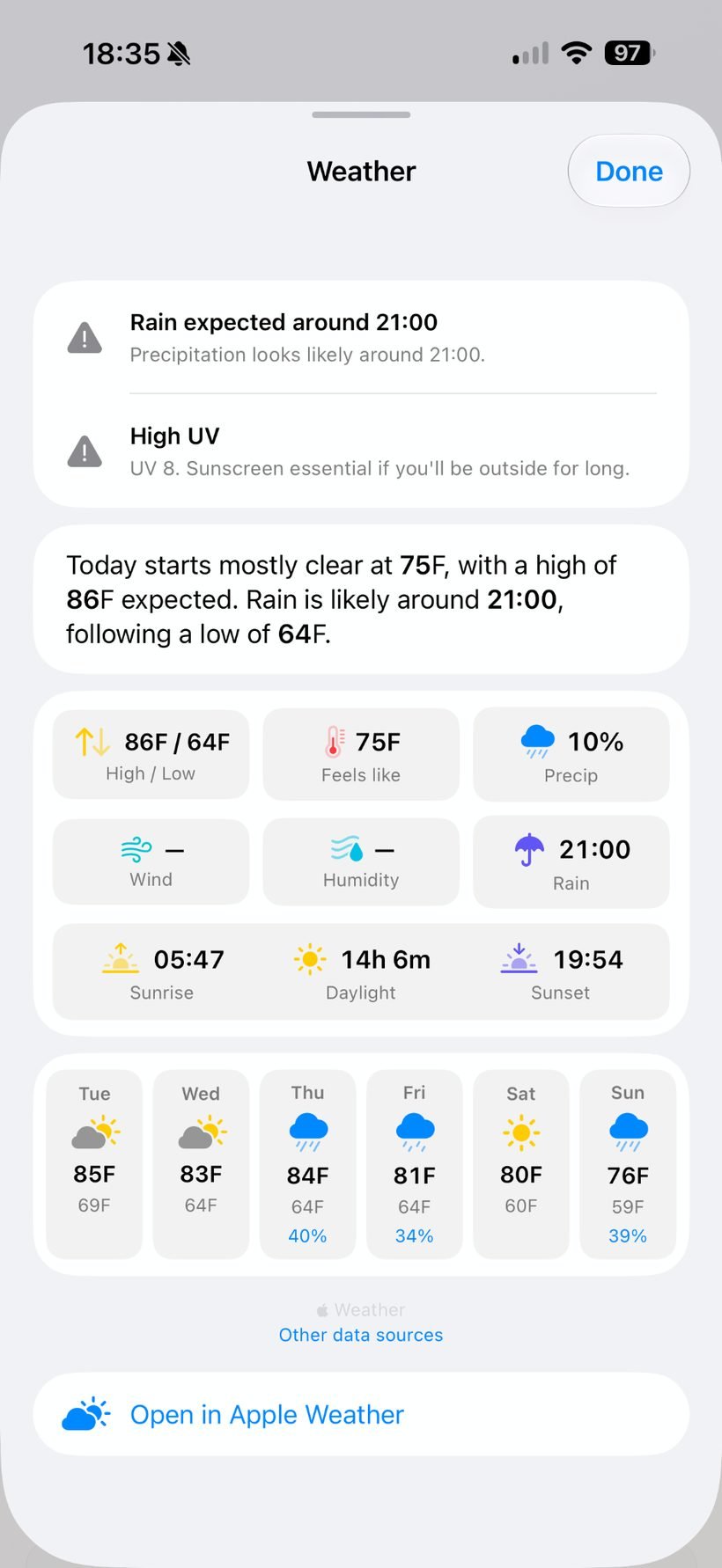
MyDay weather sheet showing alerts, summary and forecast

Weather

Open a richer weather view for forecast detail, likely rain, temperature and the week ahead.
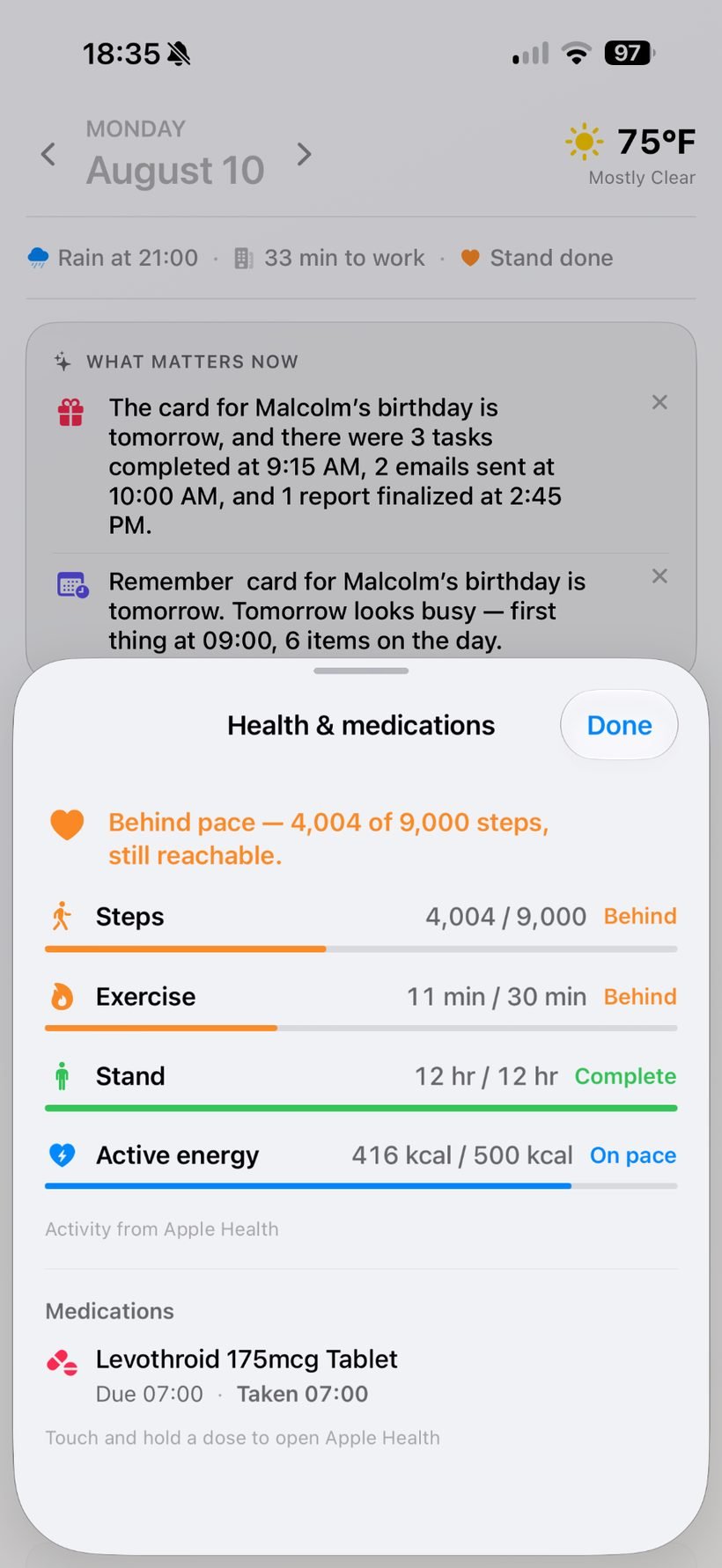
MyDay health and medications sheet with activity progress and medication status

Health & Medications

Bring in selected activity and medication context from Apple Health when it helps the day make more sense.
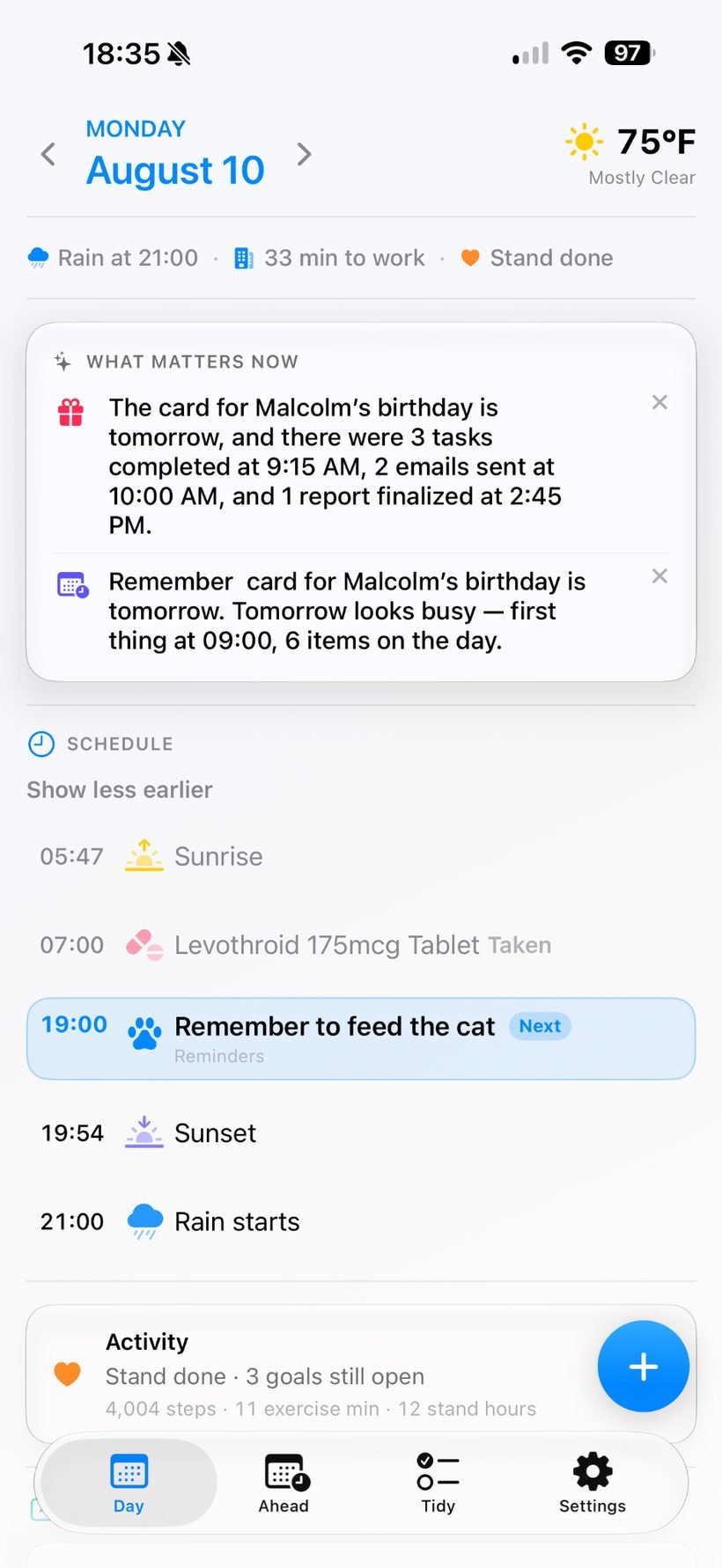
MyDay daily summary view with weather and activity context

Daily Summary

See a broader overview that combines day context, schedule and activity progress on one screen.
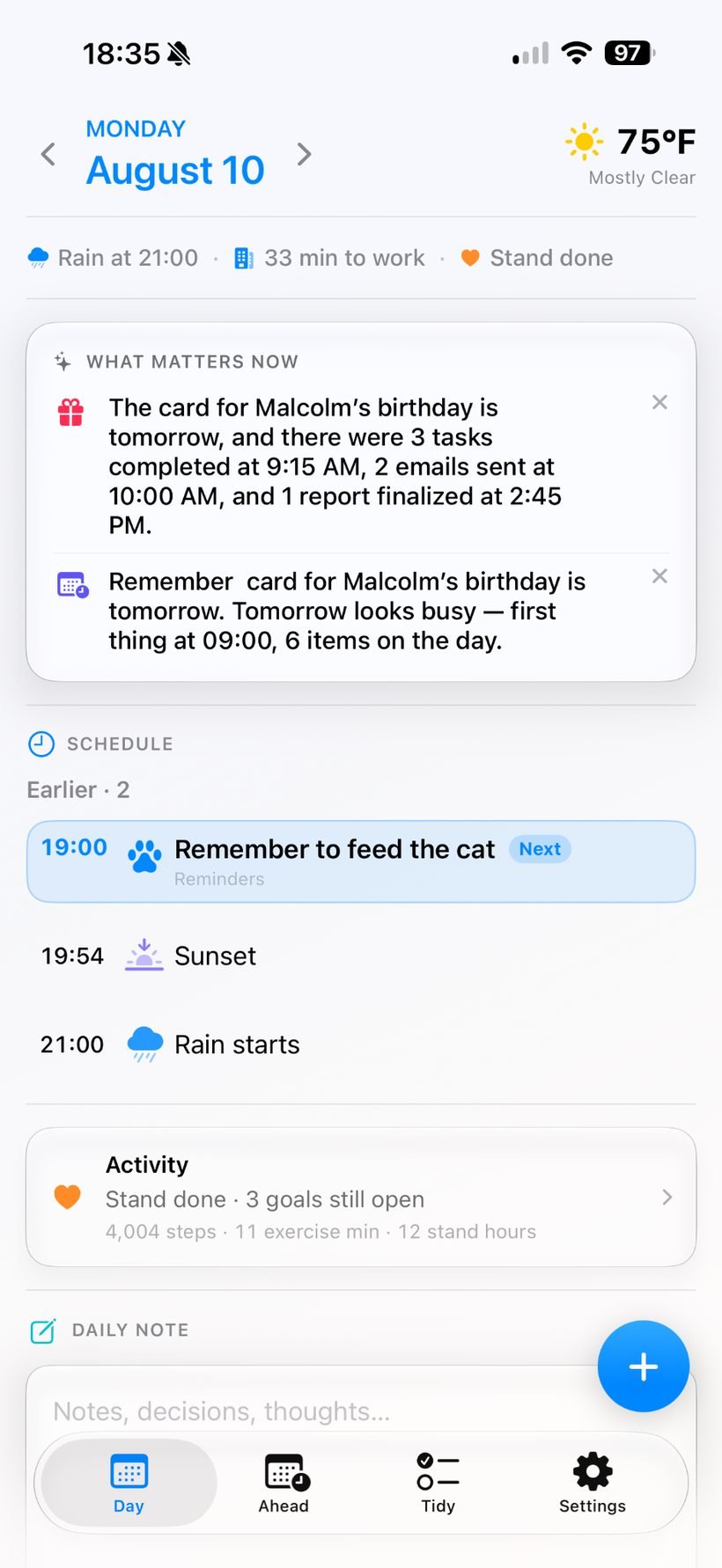
MyDay focused day view showing evening reminders, activity and daily note

Focused View

Collapse earlier items and focus on what is next, alongside activity context and a Daily Note.
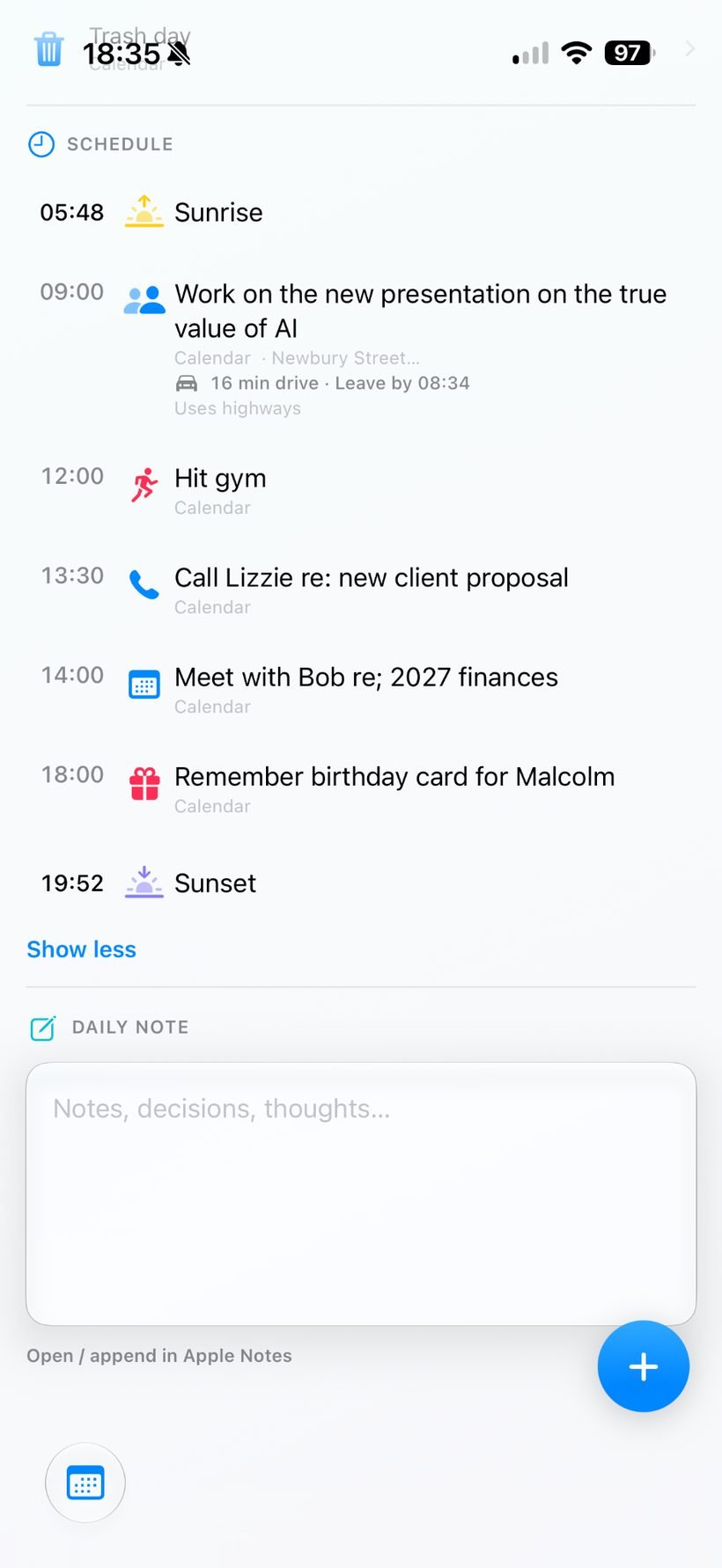
MyDay schedule section and daily note area

Schedule & Daily Note

Stay close to the timeline of the day while keeping space for notes, decisions and thoughts.

Who it’s for

For people who already use Apple’s apps — and want the day to feel simpler.

MyDay is designed for people whose days span meetings, reminders, travel, weather and personal context, but who don’t want to rebuild their life — or hand over more data than necessary — to a new productivity system.

  • People who live in Calendar and Reminders but want one calmer daily view
  • People who want to add an event or reminder quickly in everyday language
  • Anyone who wants fine-grained control over which calendars, reminder lists and optional Health information are used
  • People who prefer Apple’s ecosystem and want their original apps to remain the source of truth

You decide what MyDay can use

Permissions are deliberately user-controlled. Choose the calendars and reminder lists you want MyDay to surface. Health is optional, and access is limited to the supported categories you choose to permit.

Your data does not need to be migrated into MyDay. Events remain Calendar events, reminders remain Reminders, health information remains in Apple Health, and Daily Notes remain in Apple Notes.

Support

Need help with MyDay?

Visit the MyDay support page for help with permissions, widgets, weather, health access and other app features, or email us directly.

Privacy

Your day is personal. You control what MyDay sees.

You choose which calendars and reminder lists MyDay can surface, and Health features are optional. MyDay is designed to work with native Apple data rather than copying your life into a separate service: events stay in Calendar, reminders stay in Reminders, health information stays in Apple Health, and Daily Notes stay in Apple Notes.

App information

MyDay

PlatformiPhone · Widgets
PublisherHanDigi Studio